Apps & Leftovers lists the programs installed on your PC with their sizes, uninstalls the ones you choose, and then finds the folders and registry keys they left behind.
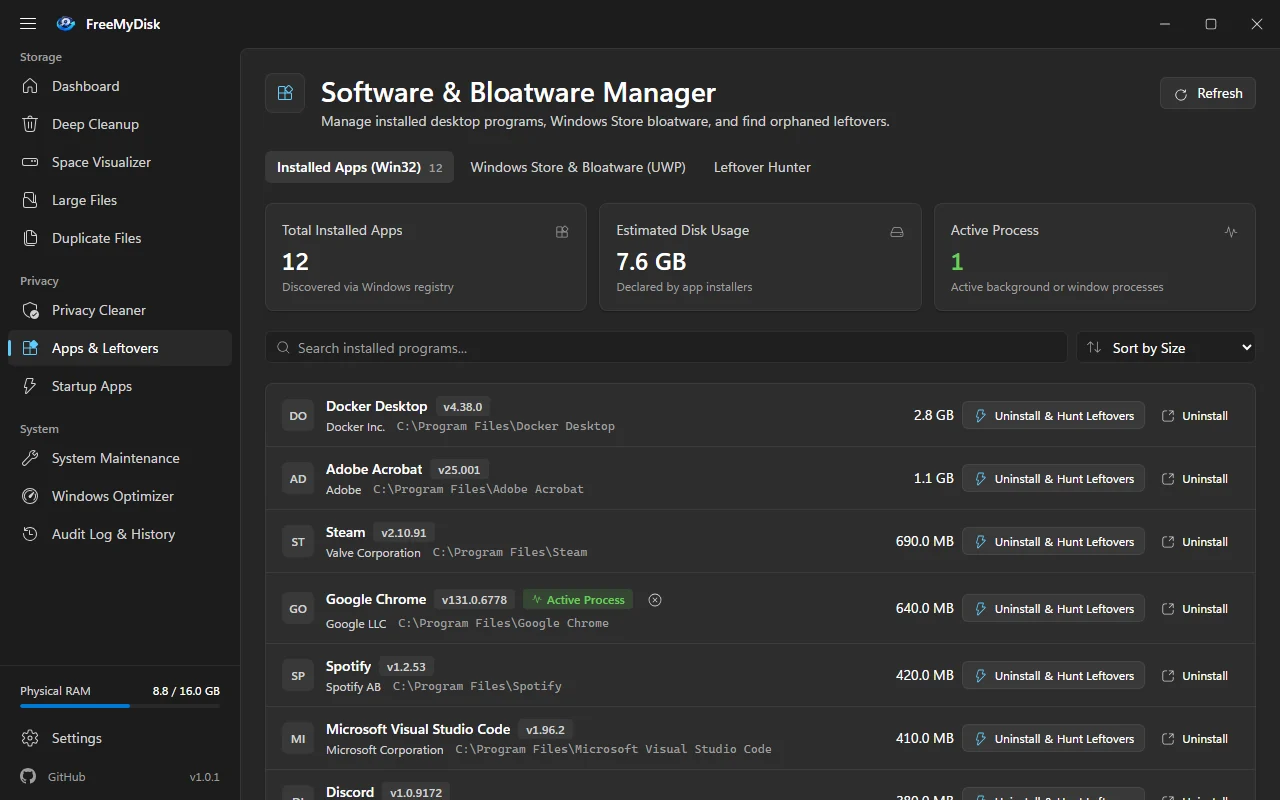
It has three tabs.
Installed Apps (Win32)
Every desktop program Windows knows about, with its name, version, publisher, install folder and size. Cards show the number of installed apps, their total size and how many are running right now.
- Search by name, and change the order with Sort by.
- Uninstall starts the program’s own uninstaller, exactly as Windows Settings does.
- Uninstall & Hunt Leftovers runs the uninstaller and then scans for what it left behind. If the app is running, FreeMyDisk offers to close it first.
Windows Store & Bloatware (UWP)
Microsoft Store apps, including the ones that came with Windows. You can remove the ones you never use. Store apps can be reinstalled from the Microsoft Store at any time.
Leftover Hunter
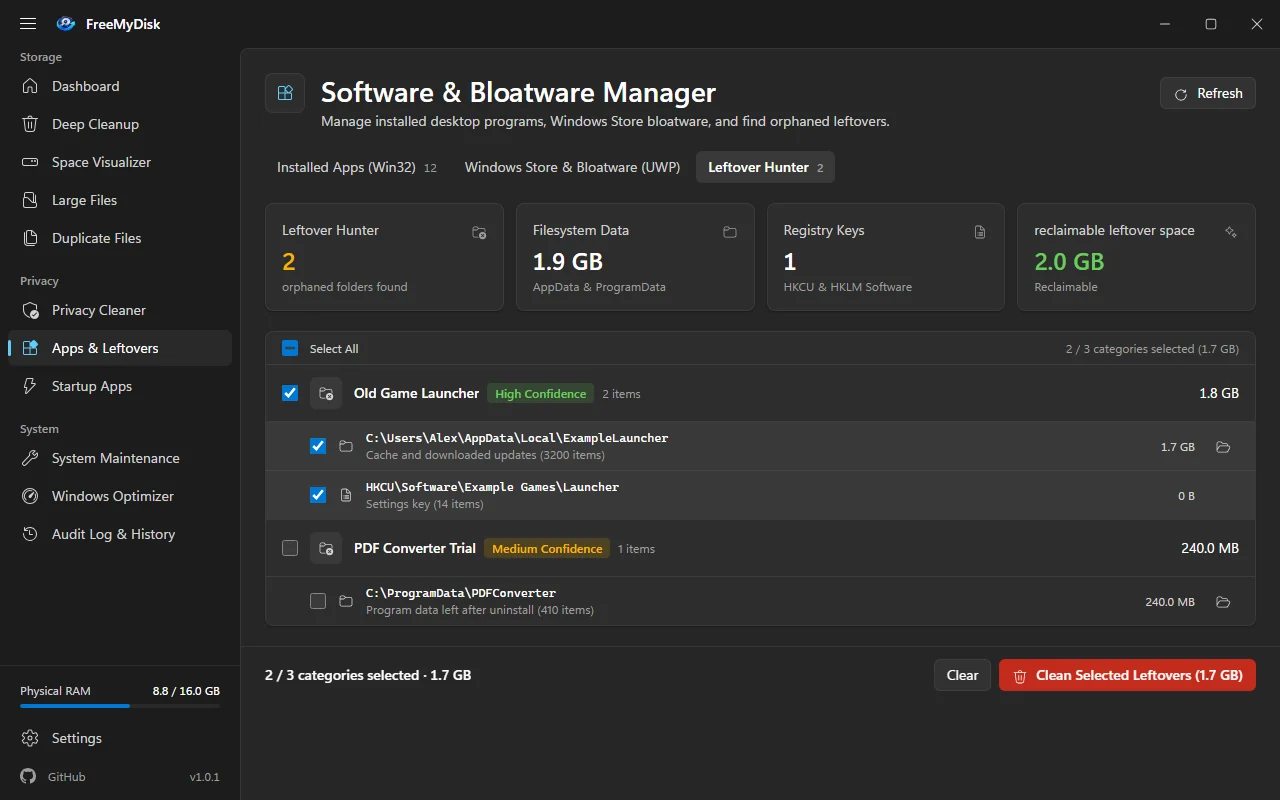
Uninstallers often leave folders in AppData and ProgramData, and keys in the registry. Leftover Hunter scans for them and groups them by app.
- Each item shows its path or registry key, its size, and a confidence label: High, Medium or Low, based on how certainly it belongs to an app that is no longer installed.
- Matching uses the whole app name, so an app called “Java” doesn’t claim keys of other Java products. Keys shared by several products are never pre-selected.
- Clean Selected Leftovers removes the ticked folders (to the Recycle Bin) and registry keys.
Tip Review Low and Medium confidence items before you remove them. When in doubt, leave them: a leftover folder costs space, but a wrongly removed folder can cost settings.
Related
- Startup Apps: stop programs from starting with Windows
- Safety Model